Exam Rush and a Brand New Notebook

We’re having midterm exams this week at my school, so it’s been looking over old tests and playing review games in tandem with working on the new unit (we have no time to waste in world history on the block schedule).

I’m a big fan of playing Jeopardy “trivia-style” because it saves time. My students are already seated at tables of 4. I project the Jeopardy “answer,” and they have 30 seconds to bring me the “question” on a scratch sheet of paper with their table number on it. At the end of he game, the table with the most points “wins.”

I also like to play “The Fly Swatter Game” with vocabulary. I write all the vocabulary words on the board, and students face off in pairs, each with a flyswatter. I read the definition or an example, and the first student to “swat” the correct word “wins.”

I find it useful to give students copies of old tests with printouts of answers they missed the first time around (We use clickers to record our test responses, so I just print “student results” from my computer). They use their notebooks and their partners to try to figure out the correct answers.

But one thing has been notably absent from my world history class reviews–the gigantic study guide.

We don’t need it. We have interactive notebooks. The notebook is a complete study guide for the students. Everything they need to be successful on the exam is there, in one place.

I’m not sure exactly why these work so much better than 3-ring binders, dividers, and loose-leaf paper, but they do. Perhaps it’s because it feels more like a dynamic creation to them than a static, “Put this paper behind the unit 3 divider,” or, “This goes with your notes.”

Whatever it is, I’m not questioning it. Here are my students, busy at work on Unit 6: The Age of Exploration (which I’ll reveal here next week):

When you've got exams going on, you need whatever you can get to help students review in engaging ways. I'm sharing some tips on my favorite ways to review with my secondary students, and I share a bit about my new interactive notebook! Click through to read more.

You can get the individual foldables they’re working on here:

Triangular Trade Foldable
Find it Here!

A Worksheet to Reinforce the Concept of the Columbian Exchange
Find it Here!

Also, take a minute to check out my Unit 5: The Renaissance and Reformation Interactive Notebook:
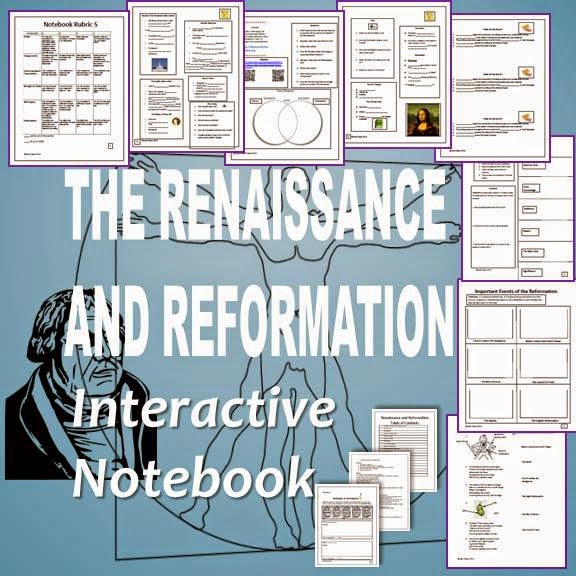
The Renaissance and Reformation Interactive Notebook
Find it Here!

It’s packed with activities, cloze notes, PowerPoints, foldables, and a test.

How do you review for exams? Do you have any amazing games or simple reviews that the students love? Let me know in the comments below!

Get My Notes!

* indicates required
Email Format

Email
Facebook
Pinterest
Twitter

You might also like...

Colorful cut paper shapes including a pink circle, purple octagon, and green rectangle connected by yellow arrows on a teal background, representing graphic organizers for high school students and the digital graphic organizers vs paper debate for note catching strategies in the classroom.

Graphic Organizers for High School Students: Should I Use Tech for This?

You’ve heard of note-taking. Note-catching is something a little different. And that distinction is at the heart of this post. We’re looking at graphic organizers for high school students, and as part of the Should I Use Tech for This? summer series, we’re asking whether digital graphic organizers or paper serve high school students better, and the answer circles back to the same research that guided our note-taking post way back at the start of the series. We’re also covering the folded paper technique, standard annotation graphic organizers, and the one digital tool, NotebookLM, that does something for note-catching strategies that paper simply cannot replicate.

Read More »
A high school student giving a technology-enhanced presentation to classmates, illustrating creative student presentation ideas for high school and transformative technology use in the classroom.

Student Presentation Ideas for High School: When Technology Genuinely Transforms the Work

The best student presentations I’ve seen in my classroom came from a Theory of Knowledge class that turned their exhibitions into Saturday Night Live-style comedy sketches. They couldn’t have done it without technology. And they couldn’t have done it with AI alone either. In this post, part of the Should I Use Tech for This? summer series, I’m sharing what transformative student presentation ideas for high school look like, why creative student presentations go so far beyond the standard slideshow, and the one condition that makes technology work for this task rather than against it.

Read More »
Image of a magnifying glass over a dictionary for the post "Should I Use Tech for Vocabulary Practice Strategies?"

Should I Use Tech for Vocabulary Practice Strategies? What I Learned the Hard Way

I once built an elaborate digital vocabulary practice system, complete with drag-and-drop checkboxes and instructional videos, and I was so proud of it that I started selling it. It was a complete waste of everyone’s time. In this post, part of the Should I Use Tech for This? summer series, I’m sharing what that failure taught me about vocabulary practice strategies, why digital vocabulary tools for teachers shine at the surface level and fall flat at the deep and transfer levels, and how Quizlet, Quiz-Quiz-Trade, and a stack of laminated task cards all earned a permanent place in my vocabulary instruction for high school students.

Read More »


Welcome! Stay a while and browse classroom-tested tips, strategies, and resources that will take your teaching to the next level!

Learn More

Want Access To The Free Resource library?

Get access to 20+ classroom-tested resources!